
The following smartCore modules are required for triggered data storage:
-
osfwriter module
-
math module
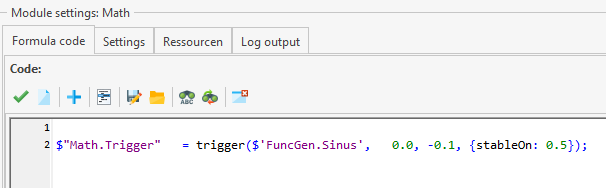
The math module checks the condition(s) and forwards them to the osfwriter module via a signal. The following code example checks whether the value of the “FuncGen.Sinus” signal is greater than 0. If the threshold value is exceeded, the “Math.Trigger” trigger signal is set to true.
$"Math.Trigger" = trigger($'FuncGen.Sinus', 0.0, -0.1, {stableOn: 0.5});
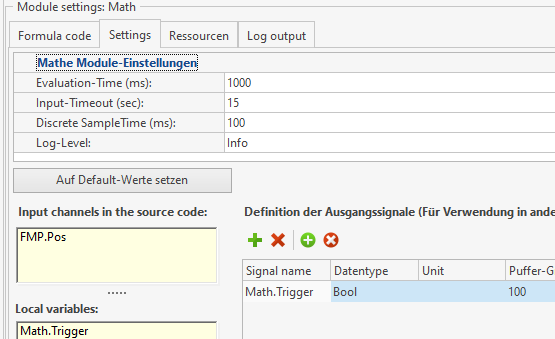
The “Math.Trigger” signal must have the data type “bool” in the settings for the output signals.
Further information: Math Modul Doku
In the Osfwriter settings, the “Math.Trigger” signal must be set as the trigger condition:
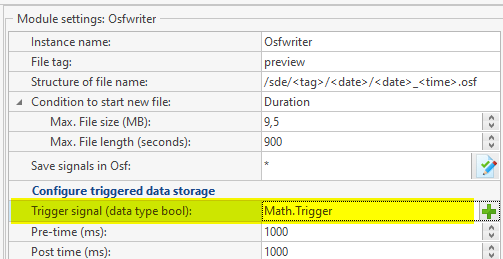
Once the settings have been saved on the device, only OSF files will be saved on the device if the “FuncGen.Sinus” signal is greater than 0.